Maintaining a healthy website is essential for both search engine visibility and user experience. One of the most common issues that can negatively impact your site is broken links. The Pixellize Broken Link Checker is designed to help you quickly identify and fix these issues before they affect your rankings, traffic, and credibility.
This tool scans your website and detects non-working links, allowing you to maintain a clean, functional, and SEO-friendly site structure.
What Is a Broken Link?
A broken link, also known as a dead link, is a hyperlink that no longer leads to its intended destination. Instead, it returns an error such as 404 (Page Not Found), 500 (Server Error), or other HTTP status codes.
Broken links typically occur due to:
- Deleted or moved web pages
- Incorrect or outdated URLs
- Changes in website structure
- External websites going offline
- Typographical errors in links
Even a few broken links can create a poor impression and disrupt the user journey.
Why Broken Links Matter for SEO
Search engines aim to provide users with the best possible experience. When your website contains broken links, it signals poor maintenance and can affect how your site is perceived and ranked.
Impact on Search Engine Rankings
Search engines like Google use crawlers to index your site. Broken links can interrupt crawling and reduce your site’s overall quality score.
Negative User Experience
Visitors expect smooth navigation. When they encounter errors, they are more likely to leave your site immediately.
Increased Bounce Rate
Dead links frustrate users, leading to higher bounce rates and lower engagement metrics.
Loss of Link Equity
Internal links help distribute authority across your pages. Broken internal links can disrupt this flow and weaken your SEO structure.
How the Pixellize Broken Link Checker Works
The Pixellize tool uses advanced crawling techniques to scan your website and identify problematic URLs.
When you enter your website URL, the tool:
- Crawls your pages systematically
- Checks each internal and external link
- Detects HTTP status codes
- Flags broken, redirected, or inactive links
- Provides a detailed report of all issues
This allows you to take immediate action and maintain a clean link profile.
Key Features of Pixellize Broken Link Checker
The tool is designed for simplicity and efficiency, making it suitable for beginners as well as professionals.
- Full website and single-page scanning
- Detection of internal and external broken links
- Identification of HTTP errors such as 404 and 500
- Fast and accurate results
- No installation or signup required
- Mobile-friendly interface
- Clean and easy-to-understand reports
How to Use the Broken Link Checker Tool
Using the tool is straightforward and requires no technical expertise.
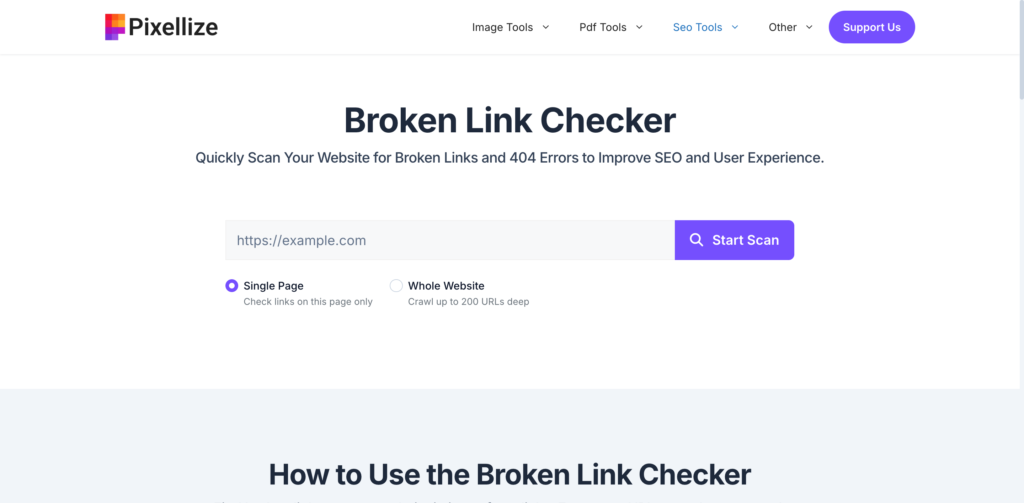
- Enter your website URL into the input field
- Click on the “Check Broken Links” button
- Allow the tool to scan your website
- Review the list of broken links and their locations
- Fix or update the affected URLs
Regular use of this tool helps maintain long-term website health.
Types of Broken Links You Should Monitor
Understanding different types of broken links helps you fix issues more effectively.
Internal Broken Links
These are links that point to pages within your own website. They are critical because they directly affect navigation and SEO structure.
External Broken Links
These links point to other websites. If the external page is removed or changed, your link becomes broken.
Image and Media Links
Broken image or media URLs can affect page layout and user experience.
Redirect Chains and Loops
Improper redirects can lead to multiple hops or infinite loops, which negatively impact performance and crawling.
Best Practices to Fix Broken Links
Fixing broken links is not just about removing them. A strategic approach ensures long-term SEO benefits.
- Update URLs to correct destinations
- Use 301 redirects for moved content
- Replace outdated external links with relevant sources
- Remove unnecessary or irrelevant links
- Regularly audit your website
- Maintain a consistent URL structure
Who Should Use This Tool
The Pixellize Broken Link Checker is useful for a wide range of users:
- Website owners managing content and performance
- SEO professionals auditing client websites
- Bloggers maintaining content quality
- Developers managing site structure
- Digital marketers optimizing campaigns
Benefits of Using a Broken Link Checker
Regular link audits provide multiple advantages:
- Improved search engine rankings
- Better user experience and navigation
- Reduced bounce rates
- Stronger internal linking structure
- Increased trust and credibility
- More efficient website maintenance
Why Choose Pixellize Broken Link Checker
There are many tools available, but Pixellize focuses on simplicity, speed, and usability.
- No complex setup or technical knowledge required
- Quick results with accurate reporting
- Clean interface designed for productivity
- Completely free to use
- Suitable for both small and large websites
Pixellize allows you to focus on fixing issues instead of struggling with complicated tools.
How Often Should You Check for Broken Links?
Broken links can appear anytime, especially if your website is frequently updated or contains many external references.
Recommended frequency:
- Small websites: once per month
- Medium websites: every 2 weeks
- Large or dynamic websites: weekly
Regular monitoring ensures your site remains optimized and error-free.
Conclusion
Broken links are a common but often overlooked issue that can significantly impact your website’s performance, SEO rankings, and user experience. Identifying and fixing these issues should be a regular part of your website maintenance strategy.
The Pixellize Broken Link Checker provides a fast, simple, and effective way to detect and resolve broken links. By using this tool regularly, you can ensure that your website remains accessible, reliable, and optimized for both users and search engines.